How to Track PIFRA Bill Status Online?
Stop begging your local accounts clerk for updates. If you are waiting on a government payment in Pakistan, blindly trusting the manual process will leave your bank account empty for weeks.
Whether you are a retired teacher waiting for your pension, an active employee applying for a House Building Advance, or a private contractor supplying office equipment, your money is tied up in a strict digital pipeline. The Accountant General of Pakistan Revenues (AGPR) processes millions of transactions monthly. If you do not know how to monitor your own pifra bill status, you are entirely at the mercy of bureaucratic delays.
The problem most people face is a lack of information. They hand a physical paper bill to their Drawing and Disbursing Officer (DDO) and assume the money will automatically route to their account. That is a terrible strategy. In the modern financial tracking system, every piece of paper is digitized into a specific token. If you cannot track that token, you cannot track your cash.
In this comprehensive guide, we are pulling back the curtain on the PIFRA infrastructure. We will show you exactly how to execute a successful bill tracking agpr search, what the confusing backend error messages actually mean, and how to verify if your specific department even has the budget to pay you.
How to Check PIFRA Bill Status Online?
Tracking your PIFRA bill status is the only way to know if your payment has been approved, rejected, or sent to the State Bank for final credit.
Before the digital system was fully implemented, an agpr bill status inquiry required you to physically visit the AGPR office, stand in long lines, and search through massive paper ledgers. Today, the agpr pifra network has moved this entire workflow to the cloud. You have direct access to the same tracking tools the auditors use.
Pifra Bill Tracking through Online Portal:
The most reliable way to perform a pifra check bill status is through the official government web interface. Do not use random third-party apps found on the app store; they often scrape your data and show outdated information. You must go straight to the source.
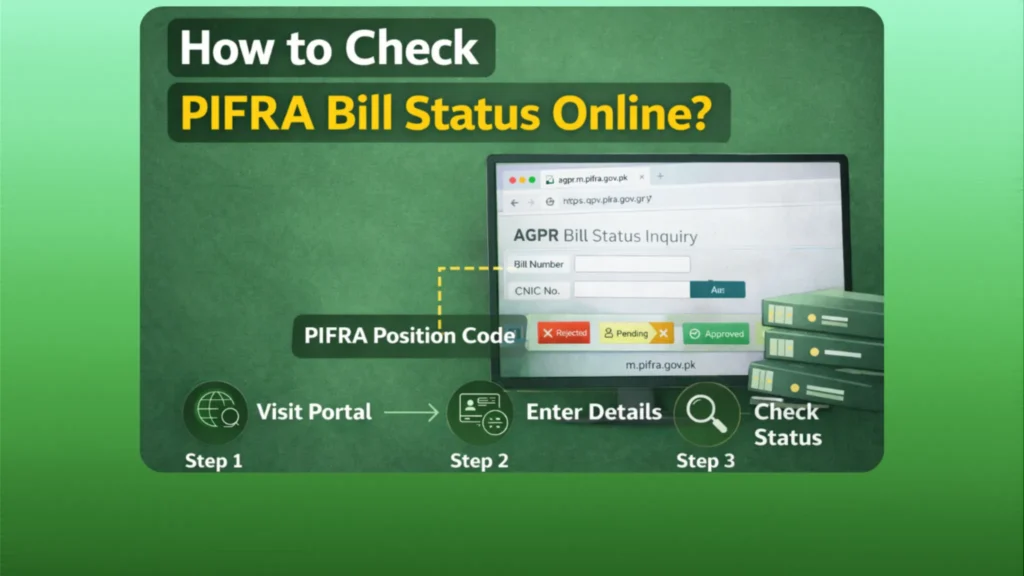
Step 1: Visit the Pifra Website and Choose the Bill Status Option:
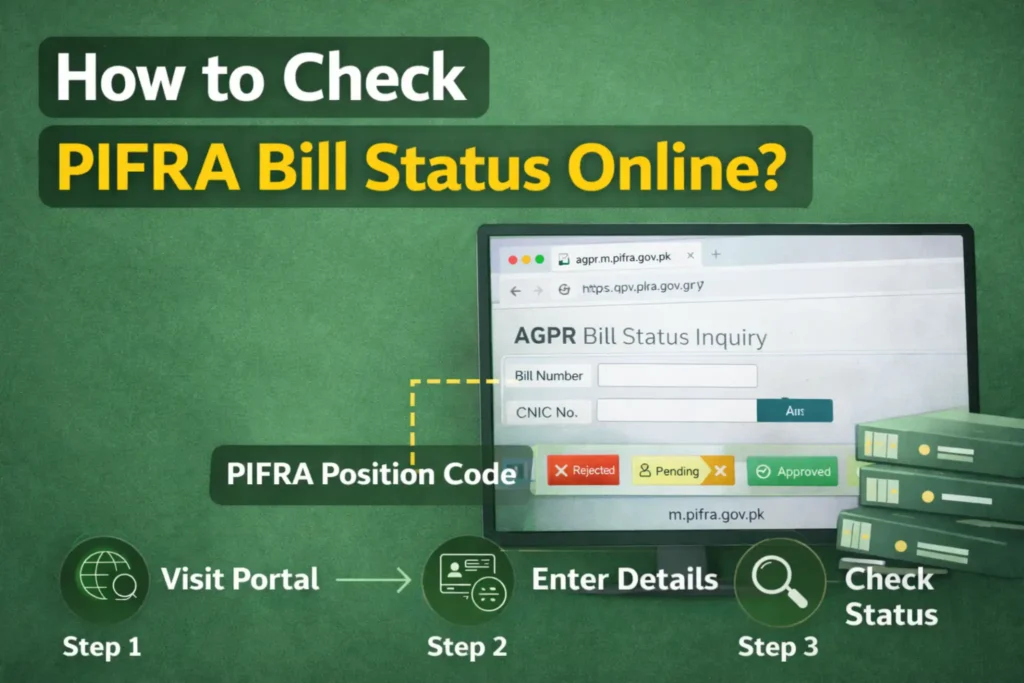
Open a secure web browser and navigate directly to m.pifra.gov.pk. You can also access the routing through the main www pifra gov pk portal, but the mobile-optimized subdomain is generally faster and crashes less often during peak hours.
Once the homepage loads, look for the specific agpr bill tracking tab. It is usually labeled clearly as “Bill Tracking” or “Token Tracking” on the main navigation menu. Click this to open the secure query interface.
Step 2: Enter your Token Number:
The system will present you with a search box. Here, you must input your exact PIFRA token.
What usually trips people up is entering the wrong type of number. You cannot use your CNIC or your personal employee number for this specific search. The agpr token is a highly specific, unique sequence of numbers generated the exact second your local DDO scans your physical bill into the master AGPR system. Without this token, the PIFRA bill tracking portal cannot retrieve your data.
Step 3: Press “Enter” and Confirm the Status:
Once you enter your token and hit submit, the database pulls a real-time pifra status report.
If the site is functioning correctly, you will see a detailed breakdown. It will show the date your bill was received, the name of the officer currently reviewing it, and its exact stage in the clearance pipeline.
Pro Tip:
If the screen flashes white and reloads the same empty box, the server is timing out. This happens frequently between 9:00 AM and 2:00 PM. Try running your agpr token check early in the morning before the financial offices open.
Pifra Bill Tracking through SMS:
If you are traveling or do not have reliable internet access, you can utilize the offline SMS method.
The government established an SMS shortcode to provide a basic bill status agpr update. To use this, you must have completed your initial PIFRA Registration. You simply type your token number in a text message and send it to the designated AGPR service number (usually updated yearly on their official contact page). The automated server will reply within a few minutes with a short text detailing whether your bill is in process or passed.
In practice, the SMS system is notoriously delayed. The online portal is always your most accurate option.
Bill Status Explanation:
Seeing your tracking data is one thing; understanding it is another. When you pull your ddo bill status, you will encounter specific accounting terminology. Here is what those terms actually mean:
PIFRA Bill Tracking: Common Problems and Solutions
Even when you follow the exact procedures, checking your pifra bill status can be a highly frustrating experience. The system is rigid and unforgiving of human error. Here are the most frequent roadblocks and how you can bypass them.
How to Get a Pifra Token Number for Bill Status Tracking?
This is the single biggest hurdle for most users. You submit your medical reimbursement or vendor invoice to your local department, and then you sit at home trying to track it. But you do not have a token.
Here is the truth about tokens: The AGPR does not text you a token automatically.
When your local accounts officer prepares your file, they log into the PIFRA DDO bar (the internal accounting dashboard) and generate a dispatch bar code. They physically stamp this code onto your paper bill before driving it to the AGPR office. This bar code is your token. To get your number, you must explicitly ask your local DDO: “What is the AGPR dispatch token number for my bill?” Do not leave their office without writing those digits down.
Bill Status Not Updating:
You have your token, you check the m.pifra portal every day, but the status has said “In Process” for three weeks. Why?
In 90% of cases, a frozen status indicates a budget failure. Behind the scenes, the AGPR system automatically executes a pifra budget check. It looks at the master PIFRA budget to see if your department actually has the cash to cover your bill.
If your DDO submitted a bill for 50,000 rupees, but the PIFRA DDO monthly expenditure ledger shows they only have 10,000 rupees left in their account, the AGPR will silently stall the bill. It will not pass until the Finance Ministry injects more funds into that specific PIFRA DDO code.
If your bill is stuck, demand that your accounts clerk run an online budget check on the PIFRA DDO Ber portal immediately.
Which Bill Are You Tracking?
Not all bills are treated equally by the AGPR. The system categorizes payments into strict buckets. The type of bill you submit dictates how fast it moves and what specific APR DDO budget it pulls from.
Pay Bills or Pension Bills:
Standard monthly salaries and pensions are the highest priority. These do not require individual, manual tokens for every single employee.
Instead, your DDO submits a master payroll file. As long as your PIFRA position code is actively marked as “Filled” in the backend, your pay processes automatically. You do not need to check a bill status for your salary; you just wait for your pifra salary slip to arrive in your registered email inbox at the start of the month.
If your salary fails to arrive, the issue is not a stalled bill. Your DDO likely accidentally deleted your code from the active DDO Ber Pifra ledger.
Travel Allowance or Daily Allowance Bill (TA / TD Bill):
If you travel for official government business, your reimbursement is processed via a TA/DA bill. These are notorious for heavy delays.
Auditors scrutinize these bills aggressively. They will check your PIFRA budget allocation for travel, verify your hotel receipts, and ensure the dates align with your official leave orders. Because these require intense manual verification by an AGPR officer, expect a TA/DA token to sit in the “In Process” stage for significantly longer than standard payments.
House Building Advance or GP Fund Advances:
When employees apply for major financial withdrawals, they are initiating a highly complex workflow.
Tracking a PIFRA advance status or a specific PIFRA HbA status requires patience. Because House Building Advances involve massive sums of money—often millions of rupees—they require multiple layers of clearance from the Finance Division before AGPR even looks at them.
When you track an HBA status, understand that the AGPR token is only generated after the initial departmental approvals are completely finished. If your department is slow, your token will not even exist on the portal for months.
Contingent Bills:
This category applies strictly to private contractors, business owners, and suppliers. If you sold fifty laptops to a government office, your invoice is processed as a contingent bill.
To clear a contingent bill, your PIFRA vendor information must be absolutely flawless. The AGPR will instantly reject your payment if your PIFRA vendor registration details—like your 24-digit IBAN or your FBR Active Taxpayer NTN—do not perfectly match the data entered by the DDO.
For vendors, performing a PIFRA DDO budget check is critical. Never deliver goods to a government department without first asking them to show you their available PIFRA budget check 2022 (or current fiscal year) ledger to prove they actually have the funds to pay your contingent bill.
Editor’s Analysis: My Verdict on AGPR Tracking
Having spent decades analyzing financial infrastructure and government digital routing systems, I can give you a blunt assessment of the AGPR tracking framework.
My Verdict? The PIFRA portal is functionally brilliant, but it is entirely dependent on the competence of underpaid local clerks.
The system itself rarely loses data. If a bill is passed, the State Bank API transfers the money within hours. The fatal flaw lies in the gap between your desk and the AGPR scanner. What usually trips people up is assuming that handing a bill to their DDO means it is officially in the system.
In practice, local clerks often pile paper bills on their desks for weeks before generating dispatch tokens. You might think your PIFRA bill status is delayed at the federal level, but the reality is your bill has not even left your own building.
You have to be aggressively proactive. Do not accept vague answers from your accounts office. Demand your token number the exact day you submit your paperwork. Furthermore, force them to pull a DDO PIFRA budget report right in front of you. If they complain the budget is empty, take your paperwork back. Do not let your financial documents sit in a dead queue.
Take ownership of your financial routing, understand the difference between local delays and federal audits, and protect your cash flow.
Frequently Asked Questions
Summary
Waiting in the dark for a government payment is entirely optional. By mastering the AGPR tracking portal, you take direct control over your financial timeline.
Your Next Step Action Checklist:
- Secure Your Identifier: The next time you submit any reimbursement, advance, or invoice, refuse to leave the office until your DDO provides you with the exact AGPR dispatch token.
- Monitor Daily: Use the m.pifra.gov.pk portal early in the morning to bypass server traffic and check your status.
- Verify the Budget: If your bill stalls for more than 14 days, contact your accounts officer and demand proof that your specific department has the required budget allocation to clear the payment.
Stop relying on rumors and manual ledgers. Use the digital tools available to you, track your tokens accurately, and ensure your hard-earned money never gets trapped in bureaucratic red tape.