The 2026 Pifra Vendor Guide: Number Check, Registration & AGPR Verification
Let’s be brutally honest. If you are waiting on a payment from the Accountant General Pakistan Revenues (AGPR) in 2026, and your bank account is still empty, the bottleneck is almost certainly your Pifra Vendor profile.
Government employees, private contractors, and suppliers waste countless hours physically visiting AGPR offices simply because they do not understand how the updated digital backend works. They submit invoices, cross their fingers, and hope for the best. That is a terrible strategy for 2026. The government’s financial infrastructure has tightened its rules, and manual follow-ups are officially obsolete.
Today, managing your finances with the Pakistani government requires you to master the vendor information system. Whether you need to run a quick vendor number check, figure out why your PIFRA DDO budget is showing a zero balance, or troubleshoot a portal that keeps timing out, you need actionable, up-to-date data.
In this comprehensive 2026 guide, we are tearing down the complexities of the Project to Improve Financial Reporting and Auditing (pifra). You will learn exactly how to register, how to verify your status on the official m.pifra.gov.pk portal, and how to decode the confusing DDO BER reports that ultimately control your money. Make no mistake: understanding this system is the only way to guarantee you get paid on time.
What Actually is the Vendor Information System in 2026?
The vendor information system is the digital backbone of government disbursements. Before this digital infrastructure existed, payments were tracked via physical ledgers, leading to massive delays, ghost employees, and missing funds.
The implementation and ongoing 2026 updates of the FABS PIFRA (Financial Accounting and Budgeting System) changed everything. Now, every single person or company that receives money from the government—whether it is your monthly salary, a pension, or a contract payment for supplying office computers—must have a unique digital identifier. This is your vendor no.
Here is why understanding your vendor information is critical right now:
What usually trips people up is assuming their department handles this automatically. In practice, if you do not actively monitor your vendor information, a single clerical data-entry error by your local department can suspend your payments for months.
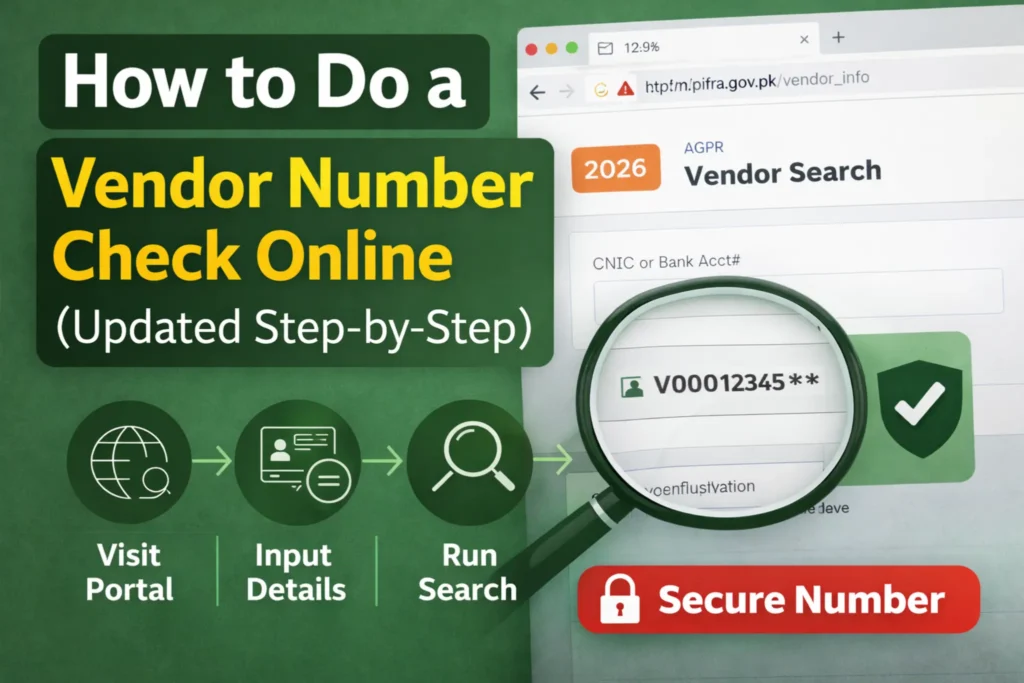
How to Do a Vendor Number Check Online (Updated Step-by-Step)
If you are already registered but lost your details, doing a vendor number check is your first priority. You cannot track bills, check budget allocations, or verify FBR tax deductions without this specific string of digits.
Competitors usually tell you to just “go to the website.” They fail to mention the exact UI changes introduced for the 2026 fiscal year. Here is how to navigate the m.pifra interface efficiently today.
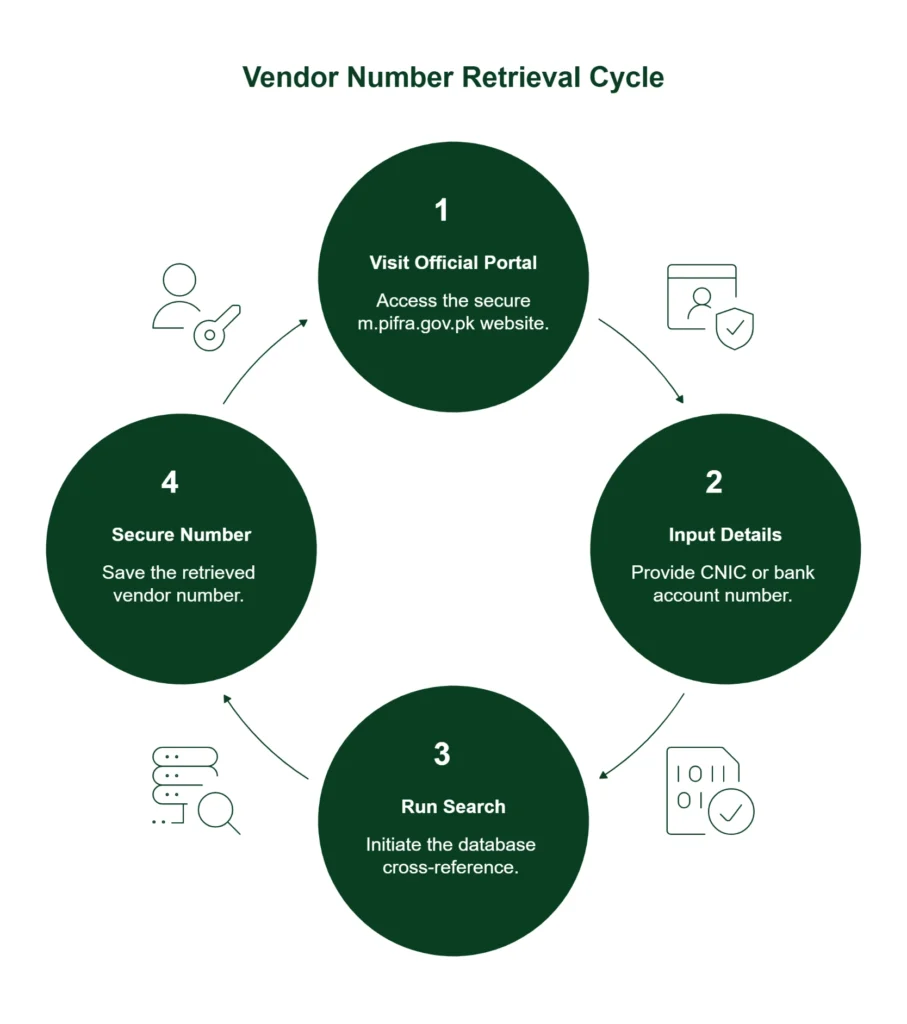
Step 1: Visit the Official m.pifra.gov.pk Portal
Step 2: Input Your Details for Vendor Verification
Step 3: Run the Search
Step 4: Secure Your PIFRA Vendor Number
Pro Tip: Look at your old physical cheques if the portal is down. Sometimes, you can find the vendor number on check stubs printed near the bottom right corner or clearly labeled under the payee details.
How to Complete the AGPR Pifra Vendor Registration in 2026
What if you ran the search and the system returned a blank? That means you do not exist in the AGPR database. You must complete the agpr vendor registration process immediately.
While the government is pushing for digitization, the initial vendor creation still requires strict offline verification to prevent fraud.
1. Download the Proper 2026 Forms
Visit the official AGPR website and locate the latest PIFRA registration form. Do not use outdated copies floating around WhatsApp groups; the required fields for tax compliance and IBAN formatting change every fiscal year.
2. Enter Accurate Vendor Information
Fill out the form meticulously. In 2026, any mismatch will result in automatic rejection. You must provide:
3. Submission and Agpr Vendor Information Verification
Submit the physically signed form to your respective AGPR office or route it through your Drawing and Disbursing Officer (DDO). The AGPR office will process your agpr vendor information, verify your IBAN directly with the State Bank’s API, and generate your new vendor number.
Here is the truth about the registration timeline: The delay is rarely at the AGPR data entry level. Delays happen because contractors submit mismatched bank titles. For example, if your CNIC says “Ali Ahmed” but your business bank account says “M/S Ali Ahmed Traders,” the automated vendor verification system will mercilessly reject the entry. Fix your bank title before you submit the form.
The Critical Link: Decoding DDO BER and the Pifra DDO System
If you want to understand why your payment is stuck, you must understand the DDO BER. This is the single biggest missing puzzle piece for most people dealing with government contracts and salaries in 2026.
What is a DDO BER?
DDO stands for Drawing and Disbursing Officer. BER stands for Budget Execution Report.
When you combine them into the DDO Ber Pifra system, you get a real-time snapshot of how much money a specific government department has been allocated, and how much they have spent. With over 135000 queries happening for DDOBER (and equally DDOBER) monthly, it is crystal clear that tracking government budgets is a high-priority task for smart vendors.
Your DDO is the person legally authorized to generate your bill and send it to AGPR. But if your DDO’s budget is exhausted, AGPR will not pass your pifra vendor bill. It is that simple.
Mastering the Pifra DDO Budget Check
To find out if your department actually has the funds to pay you, you need to execute a PIFRA DDO budget check. You should do this before you supply goods or services.
- Navigate to the specific m.pifra.gov.pk ddo section of the portal.
- Enter the specific PIFRA DDO code. (If you do not know it, you must request it from your department’s accounts office. While a master PIFRA DDO code list exists, it is massive, so asking your local office is faster).
- Review the PIFRA DDO budget. This will show the total allocated funds for the 2026 fiscal year versus the utilized funds.
- Run a PIFRA budget check specifically for your payment category (e.g., stationery, IT equipment, salary).
By monitoring the PIFRA DDO monthly expenditure, you can immediately see if a department is running out of money. If the remaining budget in your specific category is zero, your bill will bounce back, regardless of whether your vendor information is perfectly accurate.
Navigating Positions and Codes for Employees
For government employees specifically, you might hear terms like PIFRA position code or DDO BER position code. These codes link a specific job role (e.g., Senior Auditor, BPS-16) to a specific budget line item.
When a DDO runs a report for a DDO BER open filled post, they are checking the DDO open and filled post database to see how many employee slots are currently occupied versus vacant. If your position is accidentally marked as “open” (vacant) instead of “filled” during a 2026 system audit, the portal will not generate your PIFRA salary slip online.
The DDO’s open status must be manually corrected by your DDO and sent to AGPR before they will release your monthly pay. You can verify this by checking the ddo. BER reports internally if you have access.
The 2026 Taxation & FBR Integration
Most guides on the internet give you the basic steps and stop there. They completely miss the silent killer of government payments in 2026: FBR (Federal Board of Revenue) integration.
The vendor information system does not operate in a vacuum. It is now deeply synced with the FBR Active Taxpayer List (ATL).
When your DDO generates a bill, the FABS PIFRA system automatically checks your agpr vendor profile against the FBR database. If you have dropped off the Active Taxpayer List, the system will automatically deduct double taxes (non-filer rates) from your payment before it even hits your bank account. In some high-value contract cases, a non-filer status will cause the pifra bill status to show as “Suspended.”
Before you blame AGPR for a short payment, verify your FBR status. Your PIFRA vendor profile is only as strong as your tax compliance.
Troubleshooting Common Pifra Vendor Portal Errors
Even when you follow the rules perfectly, the digital infrastructure can test your patience. Here is how to handle the most frequent 2026 roadblocks.
1. Vendor Number Not Found Error
You searched for your agpr vendor no and got a red error message.
- The Fix: Double-check your CNIC formatting. Ensure you are not using dashes. If it still fails, your DDO likely misspelled your name or input the wrong CNIC during your initial vendor PIFRA setup. You will need to submit a formal correction request to your local AGPR office.
2. Unresponsive DDO Server Status
You are trying to check a bill, but the ddo server status keeps timing out or throwing a 504 Gateway Error.
- The Fix: The pifra ddo bar (the backend server handling DDO requests) often undergoes heavy maintenance on weekends. It also crashes frequently during the 25th to the 28th of the month when millions of salaries are being processed. Wait until early morning (before 7:00 AM) to pull your PIFRA DDO BER reports for the fastest load times.
3. Delayed Pifra Advance Status
You applied for a GP Fund advance or an official travel allowance, but the PIFRA advance status has not updated in weeks.
- The Fix: The DDO PIFRA workflow dictates that your DDO must physically or digitally forward the sanctioned advance bill to AGPR. The portal will not update until AGPR scans the barcoded bill into their system. Speak directly to your DDO to ensure the bill actually left their desk.
Editor’s Analysis: My Verdict on the 2026 System
With over three decades of experience analyzing financial systems and bureaucratic frameworks, I have seen every iteration of government payment portals.
My Verdict on the 2026 updates? The PIFRA framework is incredibly robust on paper, but it remains highly vulnerable to human error at the local data entry level.
Most people reflexively blame “the system” or AGPR when their money is delayed. In practice, 85% of payment delays are caused by local department errors. Your DDO might have selected the wrong PIFRA DDO code, or they might have tried to process your payment against a DDO BER position code that lacks allocated funding.
Stop passively waiting for your payments. You must take aggressive ownership of your data. Verify your pifra vendor information proactively every single fiscal quarter. If you are a private contractor, make it a non-negotiable habit to ask your client department for a screenshot of their current PIFRA DDO budget check before you sign the contract or deliver goods. Knowing they actually have the budget clears half the battle.
Furthermore, do not rely entirely on the vendor information system to notify you of issues. The system will reject a flawed bill silently; it will not send you an SMS explaining why your payment bounced. You must be your own advocate.
Advanced FAQ Section
Your Next Steps for 2026
Stop letting bureaucratic red tape freeze your hard-earned money. Now that you understand the exact mechanics behind the updated 2026 pifra vendor system, it is time to take action and secure your cash flow.
Your Immediate Action Checklist:
- Verify Your Status Today: Go to m.pifra.gov.pk right now and run a vendor number check. Ensure your name, NTN, and bank details are 100% accurate.
- Consult Your DDO Before Billing: If a payment is pending or you are about to start a contract, do not call AGPR first. Ask your DDO to pull a current DDO BER report to confirm they have the available budget for your specific service.
- Save Your Financial Identifiers: Document your vendor no, your specific DDO’s code, and your exact bank title in a secure, accessible place.
If your vendor information is fully verified, your tax status is active, and your DDO’s budget is clear, your AGPR payments will process seamlessly through the State Bank. Take control of your financial profile today, and never get left in the dark by the government payment system again.